The software that runs your rental business
A booking site open to your customers, and a back office of 17 modules that runs everything else: stock, bookings, contracts, invoicing, communication and staff. One tool, instead of a spreadsheet, a notebook and three programs that never speak to each other.
What your customers see
Reachable without an account, on a phone as much as on a computer. A visitor browses the catalogue, checks availability and books — without calling you, and without waiting for opening time.
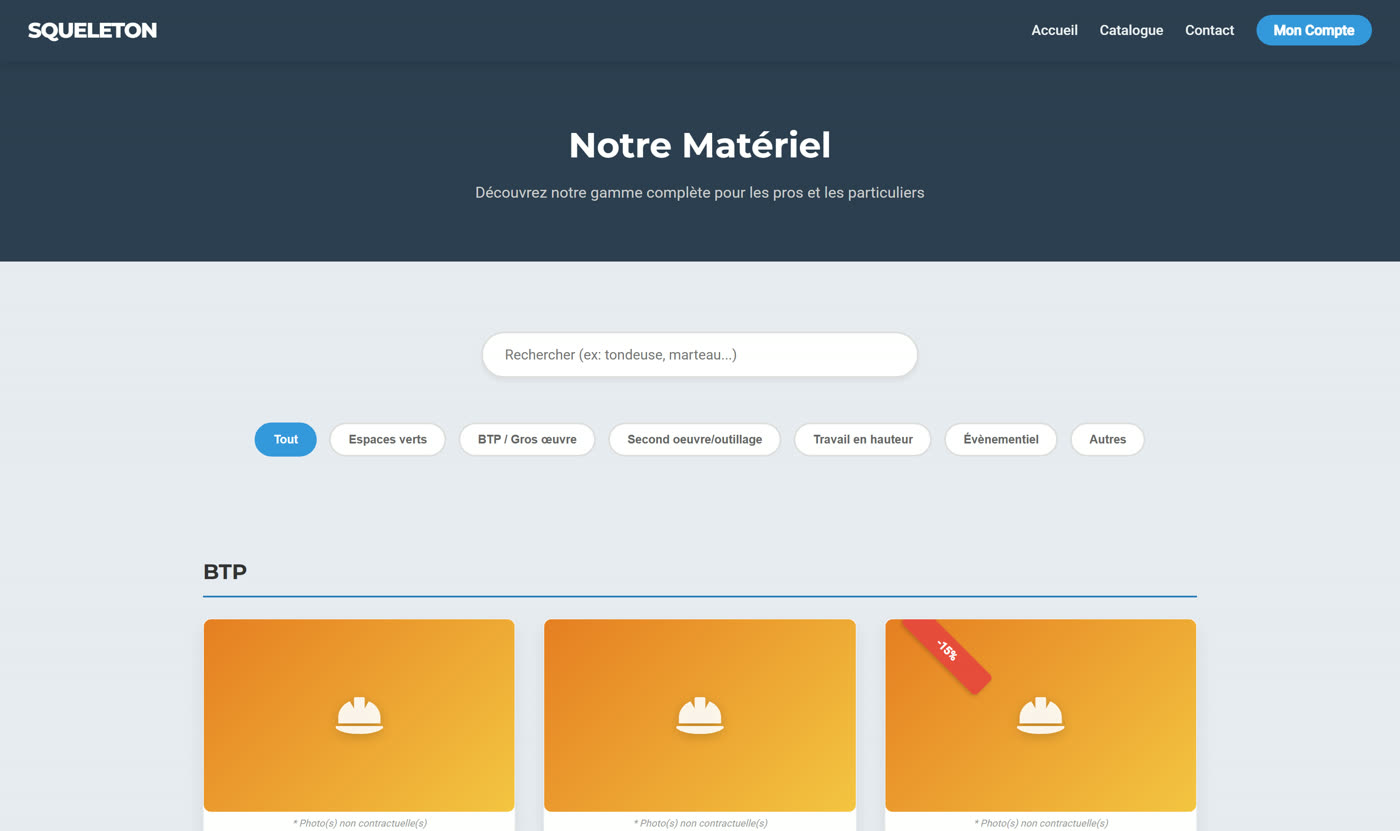
A filterable catalogue, availability in real time
The catalogue filters by category and by search, without ever reloading the page. Each item shows the price, the deposit required and what is left in stock.
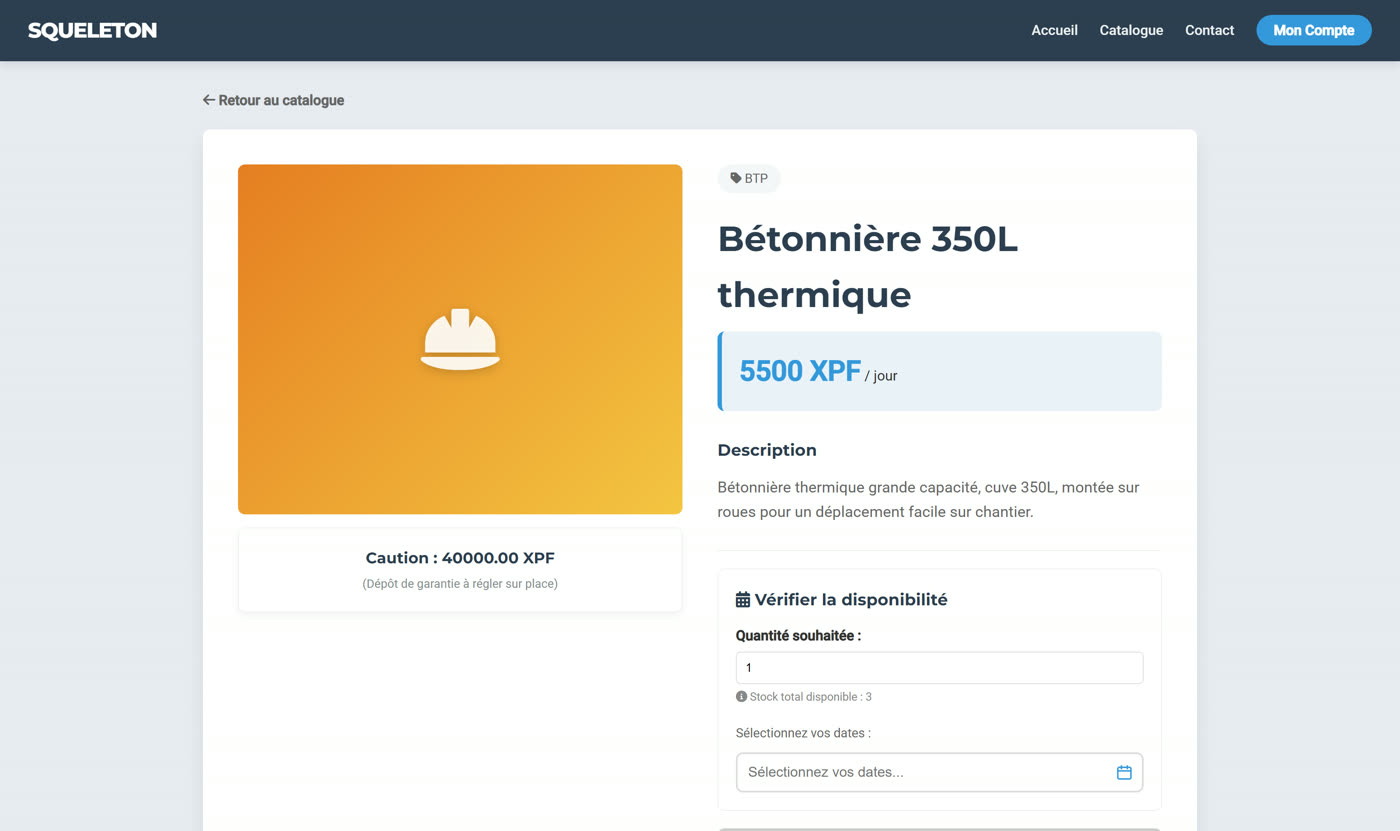
A product page built to convert
Photos converted and compressed automatically, stand-in visuals by category when a photo is missing, promotion badges, a full description.
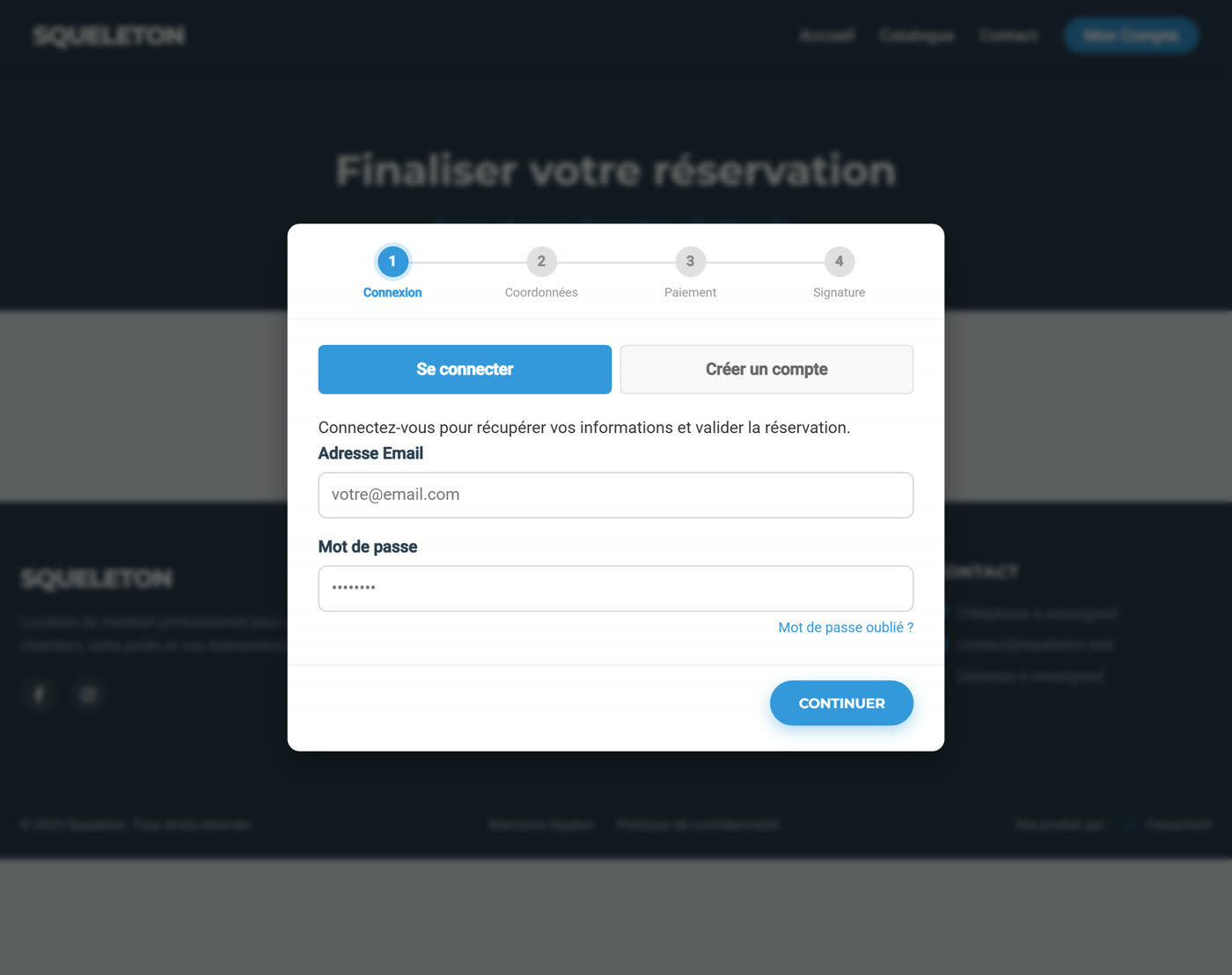
Booking in 4 steps, signature included
Sign in, details, payment, then electronic signature of the rental agreement straight in the browser. Two modes live side by side: by the day, and by the hour or half-day in slots.
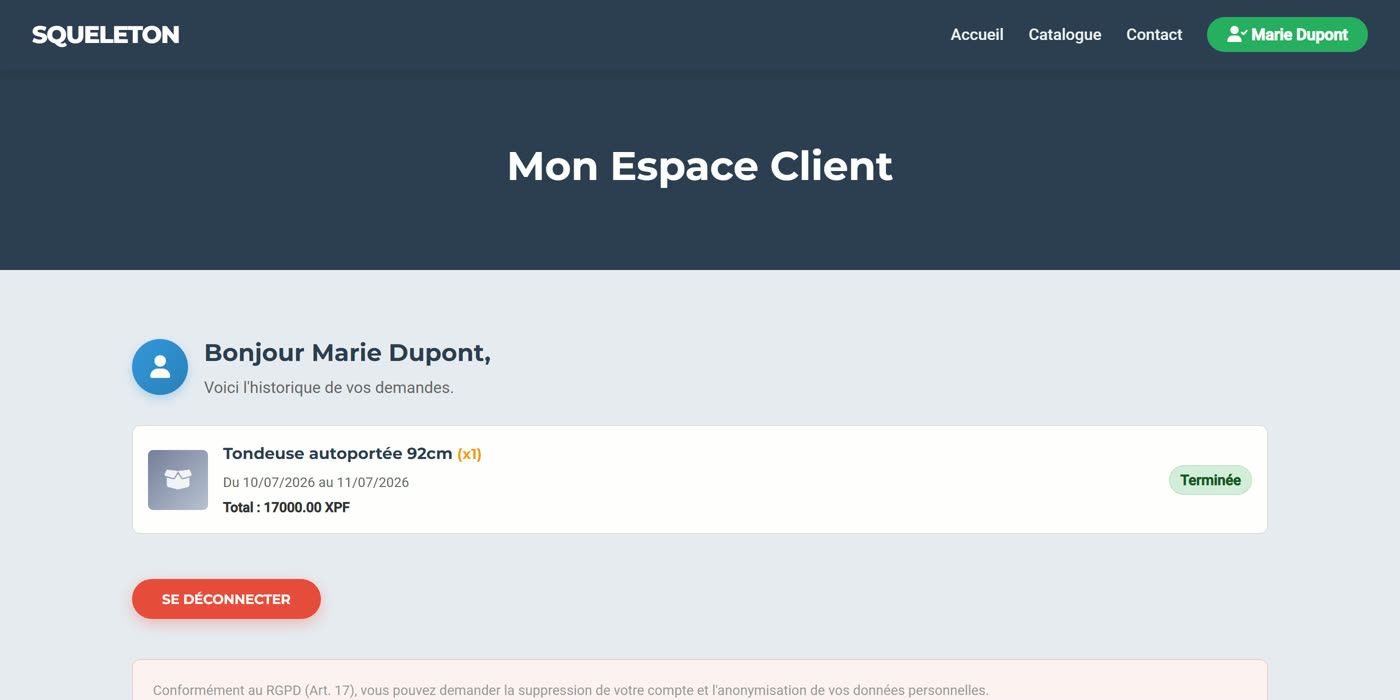
A personal account, or a company account
An individual signs up in a few fields. A company uploads its registration document, checked on the file's actual contents and not merely its name. Each finds the history of their requests and where they stand.
The back office — 17 modules
A single application, laid out in tabs, where each member of staff sees only what they have permission for. A yard hand approves bookings without ever going near the accounts.
Dashboard
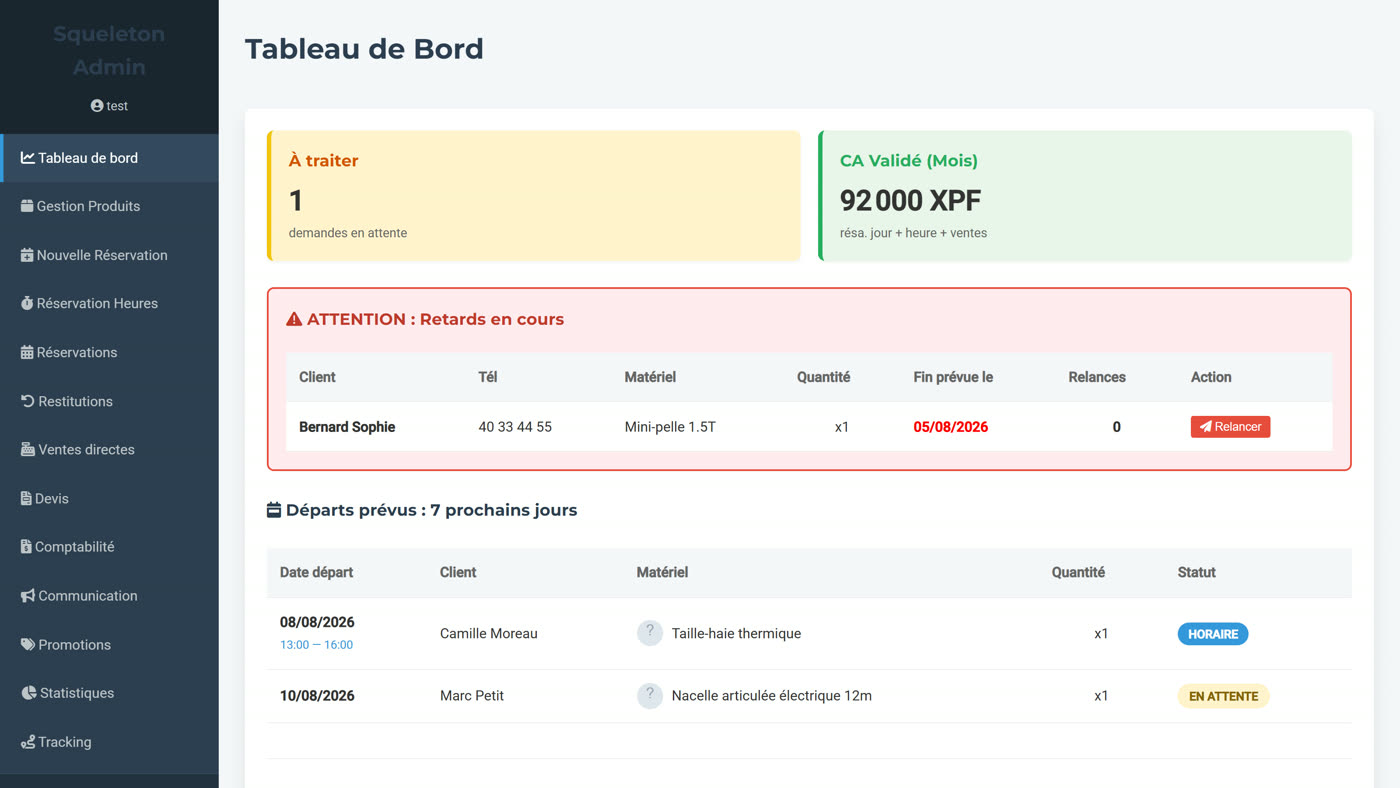
Pending requests, revenue for the month, overdue alerts with one-click chasing, departures due over the next 7 days.
Product management
Catalogue, photos, stock, prices, deposit, switching each item on or off individually.
New booking
Manual entry for a customer at the counter or on the phone.
Hourly booking
The same by the hour or half-day, with booked slots handled for you.
Bookings
The full list, daily and hourly, with approval, refusal and direct access to the invoice.
Returns
Equipment returns, rental extensions, mixed payment by cheque, cash or card.
Direct sales
A shop alongside the rentals, with its own invoice numbering.
Quotes
Costed quotes with manual discounts, exported as image or PDF.
Accounting
CSV export of bookings, customers, products and sales, filterable by period.
Communication
Promotional email campaigns, sent in bulk to your customer base.
Admin accounts
Fine-grained roles and permissions, module by module, reserved to the super-administrator.
Promotions
Discounts and codes applied straight to the public catalogue.
Statistics
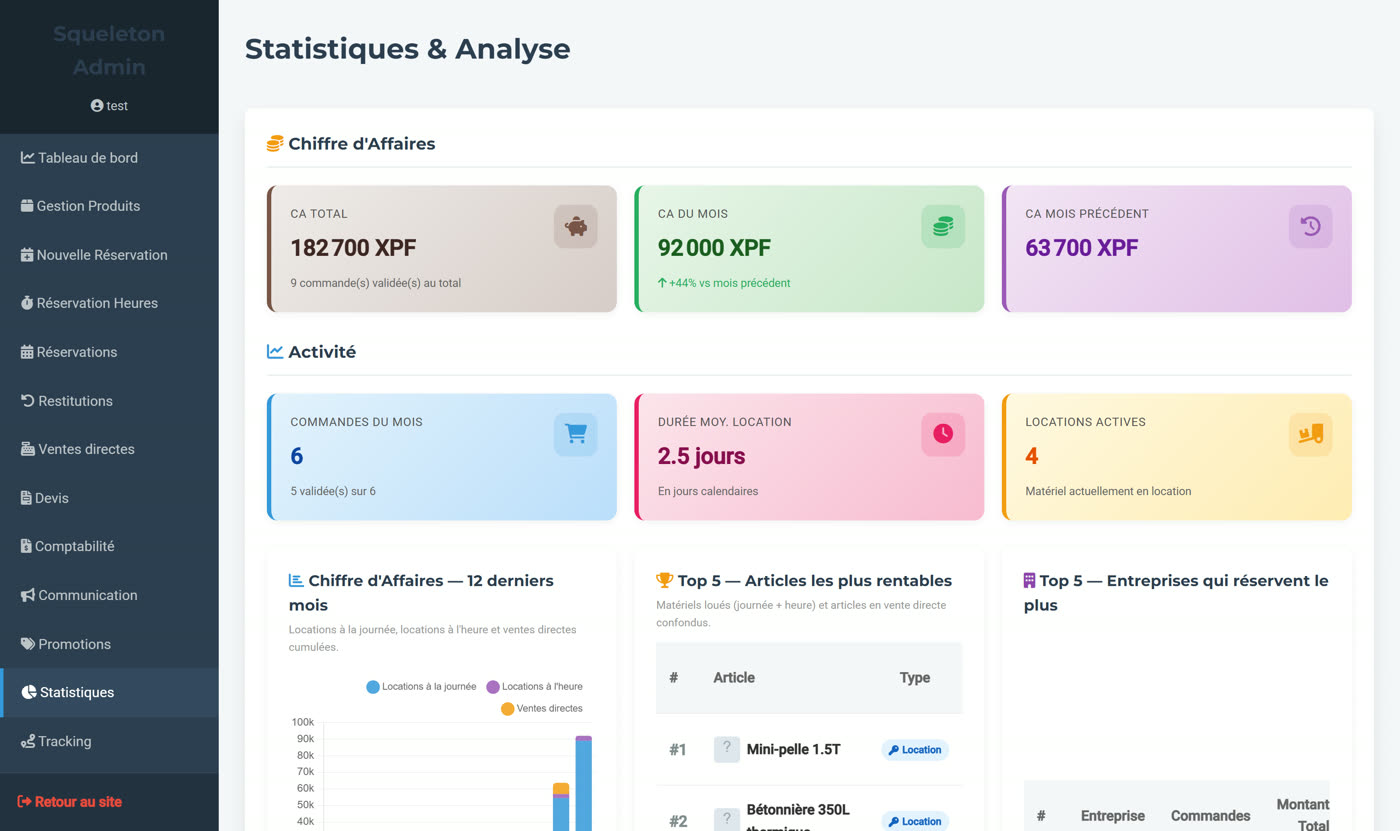
Revenue, average basket, average duration, top equipment, customers and companies.
Tracking
Individual tracking of every unit rented out, and its whole history.
Company accounts
Approval of business registrations by company document, and of their authorised staff.
Opening hours
Opening slots, applied automatically to hourly bookings.
Staff (HR)
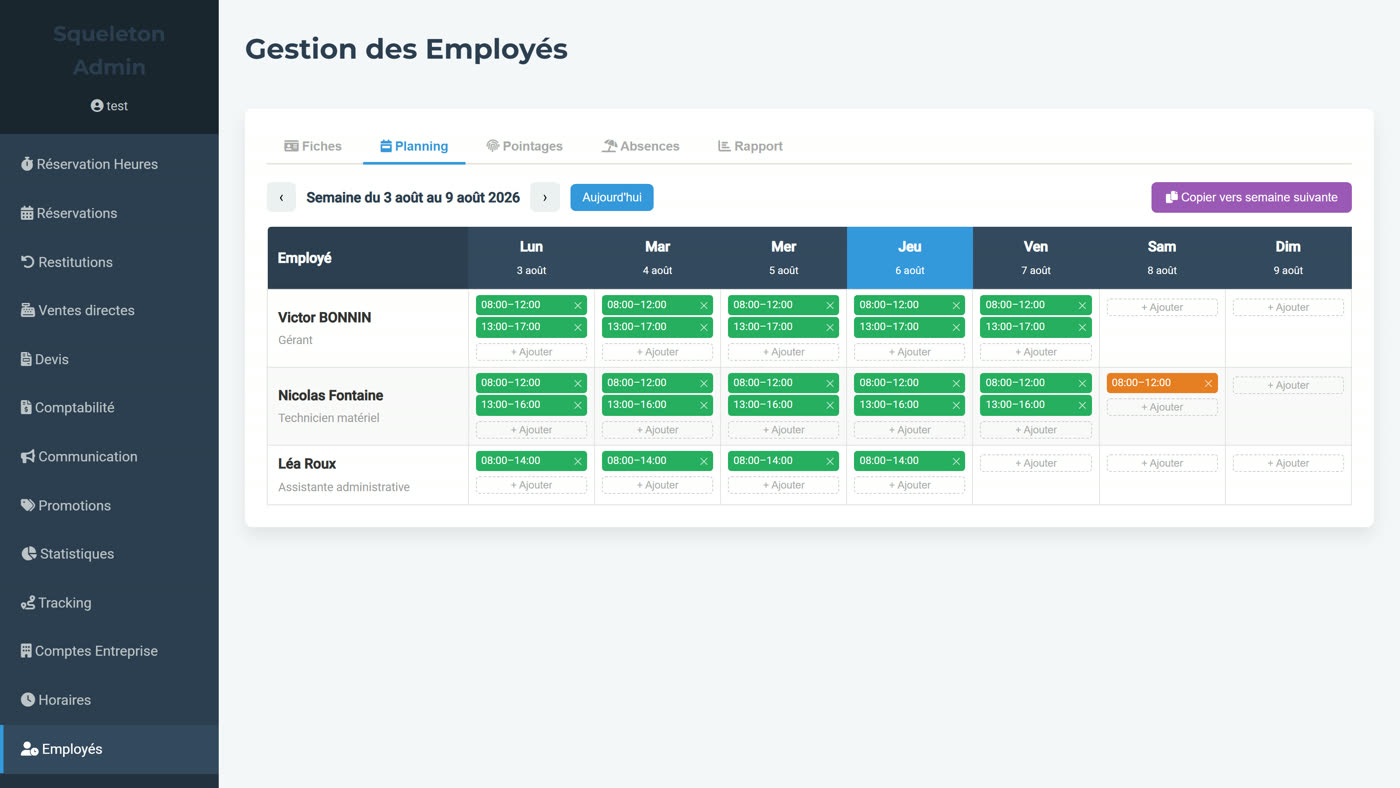
Scheduling, clock-ins, absences and a monthly report for your teams.
Three screens that make the difference
Management software is judged on what it saves you looking for. Here are the three screens your days turn on.
A dashboard that prioritises
- Automatic overdue alerts, with a one-click email chase and the customer's details already on screen.
- Confirmed revenue for the month, across all three sources: daily rental, hourly rental and direct sales.
- Departures due over the next 7 days, so equipment is ready before anyone comes to collect it.
Statistics that go further than revenue
- Revenue this month and last, with the change as a percentage, broken down by channel.
- Average basket, average rental duration, number of active rentals in real time.
- Rankings of equipment and of business customers: what earns its keep, and what sits in the yard.
An HR module built for a field team
- Weekly schedule per employee, working or on-call slots, one week copied to the next in a single click.
- Clock-ins and absences — holiday, time off, sickness — with an approval flow.
- An automatic monthly report: hours scheduled against hours actually clocked, with the gap worked out per employee.
Security, taken seriously
A tool that handles customer data, company documents and payments cannot behave like an ordinary brochure site. Here is what is in place — not what is planned.
Two-factor authentication, mandatory
Every administrator account switches on a 6-digit code from their first sign-in, with recovery codes.
Access module by module
An account reaches only the modules it has been given. The yard hand does not see the accounts.
Sign-in log
Every attempt is logged — IP address, success or failure, timestamp — and can be reviewed.
Rate limiting
The number of attempts is capped: a brute-force attack meets a wall, not a door.
Real content inspection
An uploaded file is checked on what it contains, not on its extension. A script dressed up as a PDF is turned away.
Nothing leaks to third parties
No outside service looking over your customers' shoulders. Your data stays your data.
One engine, one instance per client
Your installation is set up in your identity before it goes live: name, logo, contact details, equipment categories, terms and conditions. Invoices and quotes come out in your colours. Catalogue, prices and deposits are entirely yours, with no cap on the number of items. Two ways to run it — and only one to choose.
FenuaERP Managed
We host it, we maintain it, you use it.
- Hosting, backups and updates included.
- Configured and personalised before going live.
- You remain the owner of your installation.
- A review of your existing data comes first: no quote is issued without having seen where you are starting from.
FenuaERP Self-hosted
You host it, you run it, you keep control.
- Runs on a standard PHP/MySQL stack, at any ordinary web host.
- No subscription imposed by an outside vendor.
- The first year of maintenance is included in the initial commitment.
- Changes billed at 95 € / heure, without priority or any committed turnaround.
Ready to equip your rental business?
A free 30-minute conversation, with no commitment, to look at where you are starting from and whether the tool fits how you work.
Talk to us